Click less. Laser more. And your customers experience their piece being made.
FRAMEBUDDY takes the computer work off your hands – and turns your market stall into a place where customers design their own piece. Here’s what that means for you and for your customers.
46 seconds · no sound · market stall scenes are illustrations
What’s in it for you
You earn your money with the laser, not in a design program. FRAMEBUDDY delivers the finished laser file so your time goes into products.
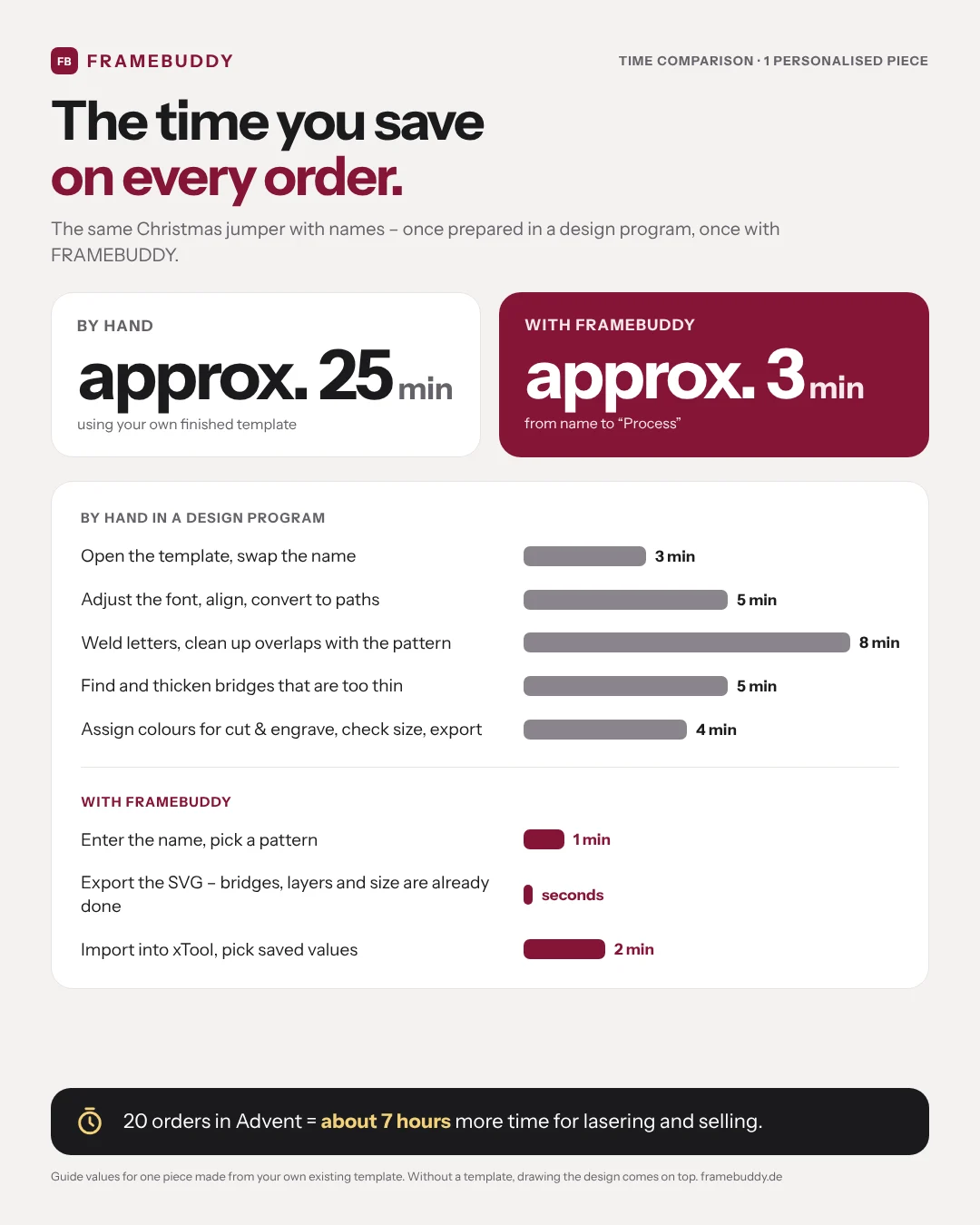
Minutes instead of half an hour
Type the name, pick a pattern, export the SVG. What easily takes 25 minutes per piece in a design program takes you about 3 minutes – with 20 orders in Advent that’s around 7 more hours for lasering and selling.
A file that simply works
Real millimetres, cut and engrave in separate colours, fonts converted to paths. The generator checks the minimum width of bridges so nothing breaks. You drag the file into xTool or LightBurn and just set up the laser.
Selling allowed
Commercial use is included in all paid plans – no extra licence, no per-piece fees. Ideal for Etsy, your online shop and the market.
Privacy that sells
Your customers’ names and photos stay in the browser – they are not sent to our server. A strong argument when customers trust you with a family photo.
19 generators – and counting
From Christmas ornaments to photo engraving. Suggest new generators in the Wish Box – every month we build one of the wishes.
What your customers get out of it
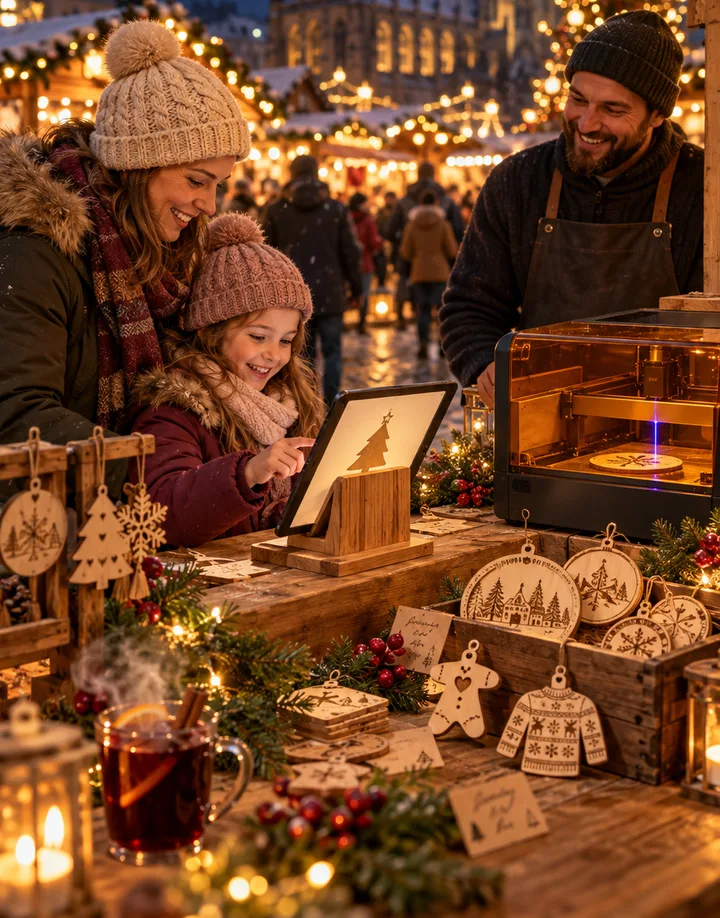
At the market you don’t just sell a piece of wood, you sell a moment. With booth mode your customers design it themselves – and you laser while they watch.
 Illustration
 Illustration
 Illustration
Design it themselves with a live preview
On the tablet at your stall, customers pick the design, type their name and instantly see what their piece will look like. No notes, no spelling names across the counter.
Watch their piece being made
You check the order and send it to the laser – your customers stand right next to it. A purchase becomes an experience people talk about.
Photos straight from the phone
For photo engraving and pet portraits, customers send their picture from their own phone to your tablet via QR code.
A gift with a story
Their name, their design, lasered in front of them – and ready to take home. Exactly what people look for at a Christmas market.
Two ways, one tool
Whether it’s an online order or a customer at your stall – the laser file is created in the browser either way.
Online shop & Etsy
- An order with a name comes in.
- Type the name in the generator and pick a pattern.
- Export the SVG – layers, size and bridges are done.
- Load into xTool or LightBurn, laser, ship.
Market stall with booth mode
- The customer designs on the tablet: design, name, preview.
- They send the order – the tablet is locked with a PIN.
- The order lands in your order list, with quantity.
- You check it and send the file to the laser.
- Your customer watches and takes their piece home.
Quick answers
Do I need a design program?
No. You personalise in the browser and download a finished SVG file: real millimetres, cut and engrave on separate layers, fonts already converted to paths. You drag the file straight into xTool Creative Space or LightBurn.
How much time do I really save?
As a guide: one personalised piece made from your own finished template easily takes around 25 minutes in a design program – setting the name, converting to paths, welding, checking bridges, assigning layers. With FRAMEBUDDY it takes about 3 minutes from the name to starting the laser. Without a template, drawing the design comes on top of the manual work.
What is booth mode?
From PRO, your tablet at a market or fair stall becomes a kiosk. Customers pick a design, type their name and see the preview instantly. The finished order lands in your order list – you check it and send it to the laser. You set your own prices and sample photos, and a PIN locks the tablet.
May I sell the products?
Yes. Commercial use is included in all paid plans, you don’t need an extra licence. You sell the finished products, not the SVG files. Files from the free trial licence are excluded.
Try it on your next order.
14 days, all generators, 3 trial exports – no payment details, no subscription.
−30%Christmas price: your first 3 months for less – until Nov 30